|
|
|
|
|
| |
| |
| |
| |
|
|
|
» |
 |
|
| |
| |
| |
| |
|
|
|
 Authorization Authorization
|
|
|
|
|
|
|
Lesson 6. How to Group and Sort Tasks. |
|
|
|
|
|
Users usually group tasks to gather tasks with equal attributes and sort tasks to see them in a certain order. VIP Quality Software allows you to GROUP and SORT tasks the way you like. |
Group Tasks
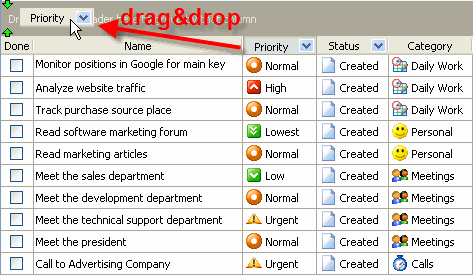
You can group tasks by almost any column in your task list. Just drag the column header and drop it to the space above the grid. |
| |
Drag & Drop a column header |
|
|
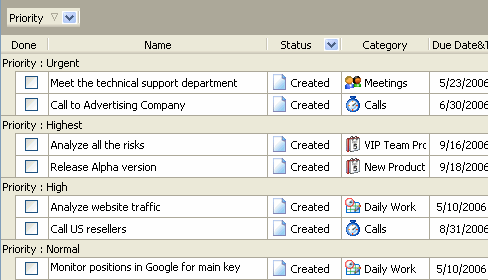
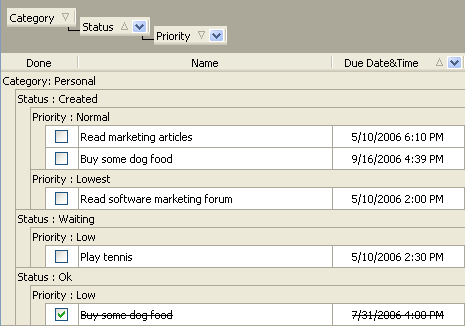
You can group tasks by multiple columns embedded one into another, so the task list will be displayed as a tree structure. It can help you focus on certain tasks or separate certain tasks from other tasks by applying some conditions or requirements. For example, you may want to see the tasks from the category 'Phone Calls' that need to be done 'Urgently'. |
|
Drag column headers and drop them to the space above the grid one by one. |
Sort Tasks
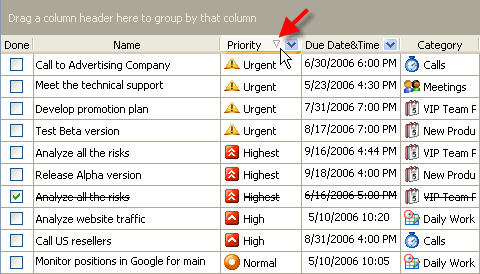
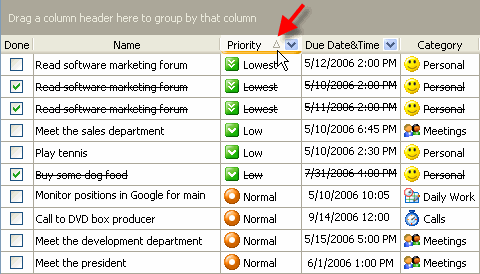
You can sort tasks within almost any column by clicking on triangle in the column header. For example, you can sort task Titles alphabetically from A to Z or from Z to A, task Priorities from Lowest to Urgent or from Urgent to Lowest, task Due Dates & Time from the earliest to the latest and vice versa, etc. |
|
Click on triangle to see tasks from high to low priority |
|
Click on triangle to see tasks from high to low priority
|
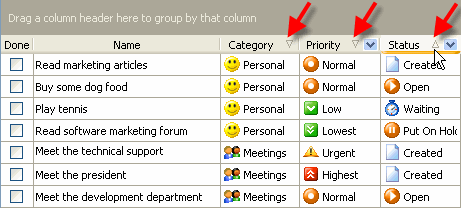
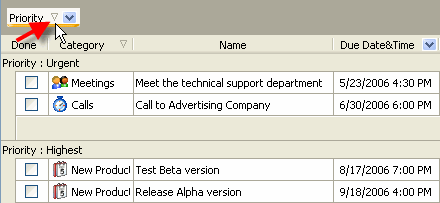
Also you can sort the tasks within several columns or even within the columns they are grouped by. |
|
Hold SHIFT and click on triangle of each column header |
|
Drag & Drop column header and click on its triangle
|


|
|
|
|
|
|
|
|
|
CentriQS  -15% OFF -15% OFF |
All-in-one business management software
for small and midsize enterprises |
 |
|
|
| VIP Task Manager |
Multi-user project management software
to plan, schedule and track project tasks. |
 |
|
|
| VIP Checklists
|
More than 750 ready-to-use to-do lists
to plan your personal and business life |
 |
|
|
| VIP Team To Do List |
Professional task management software
to make and send team todo lists by email |
 |
|
|
| VIP Organizer |
Personal time management software
to organize time at home and at work |
 |
|
|
| VIP Simple To Do List
|
Simple and effective to-do list software
to plan daily chores, trips, wedding, etc. |
|
|
|
|
|
|
|
|