|
|
|
|
|
| |
| |
| |
| |
|
|
|
» |
 |
|
| |
| |
| |
| |
| |
| |
|
|
|
 Authorization Authorization
|
|
|
|
|
|
|
I can’t sort the tasks manually, because ‘Task Move Up’, ‘Task Move Down’ buttons are disabled (grayed out) |
|
|
|
|
|
|
If you can’t sort the tasks manually because ‘Task Move Up’, ‘Task Move Down’ buttons are disabled (grayed out), please, do the following:
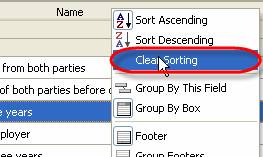
- Right click on any column header and select ‘Clear Sorting’ from drop-down list
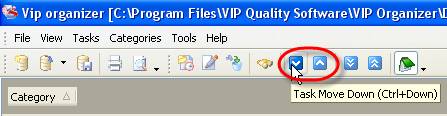
- Click ‘Task Move Up’/’Task Move Down’ buttons on Task List toolbar or right click on Task List grid and select these commands from drop-down list
OR
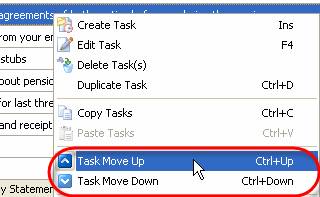


|
|
|
|
|
|


