|
|
|
|
|
| |
| |
| |
| |
|
|
|
» |
 |
|
| |
| |
| |
| |
| |
| |
|
|
|
 Authorization Authorization
|
|
|
|
|
|
|
How to send a reminder about the task to the cellphone |
|
|
|
|
|
|
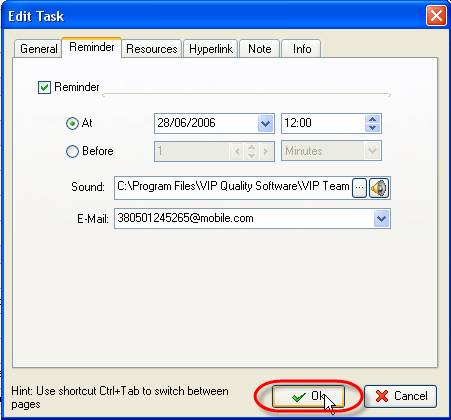
To send a reminder about the task to the cellphone, please, follow the steps below:
- Open ‘Create Task’ or ‘Open Task’ dialog and select tab ‘Reminder’
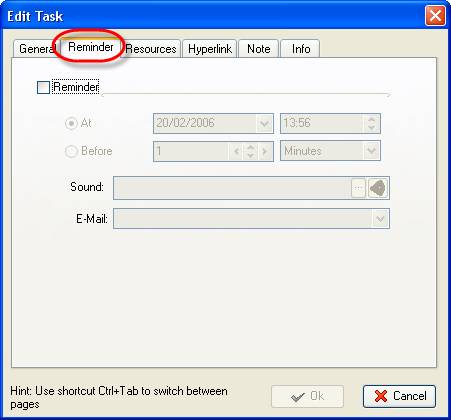
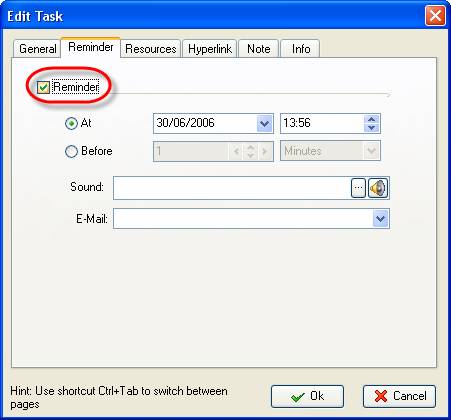
- Activate ‘Reminder’ option
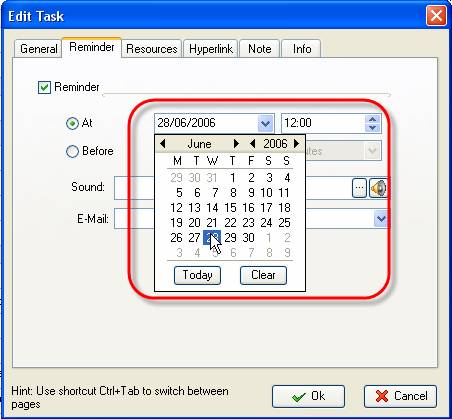
- Enter the date when you want the reminder to be sent
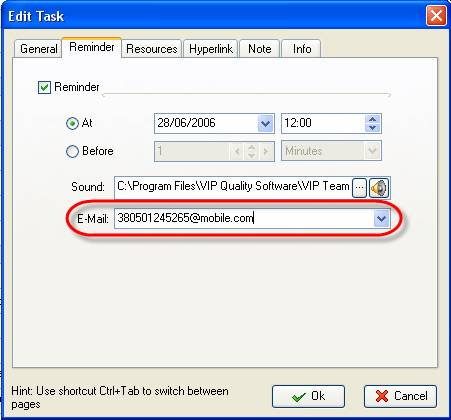
- Enter the address to send the reminder in the following form:
<required phone number in the international format>@<domain name of cellphone operator>
For example, 380501245265@mobile.com
- Click ‘Ok’


|
|
|
|
|
|


