|
|
|
|
LOGIN
|
|
|
|
|
|
How to save frequently used filter |
|
|
|
|
|
|
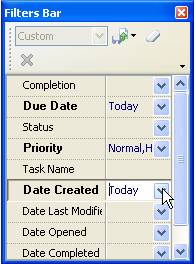
To save filter that you frequently use, please, follow the steps below:
- Go to Filters Bar and set filter that you need

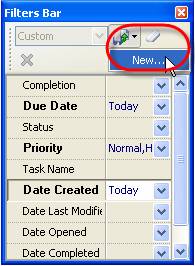
- Click on ‘Save Filter As…’ button on Filters toolbar and select ‘New’ from drop-down list

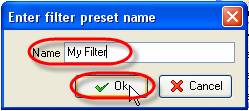
- Enter filter name into ‘Name’ entry field and click ‘Ok’

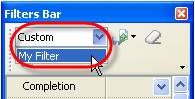
- To apply filter that you saved earlier click on ‘Custom’ drop-down list on Filters toolbar and select required filter from the list

|
|
|
|
|
|